Free skill · from Moshid
العربيةStudio-grade motion graphics from one line you give your agent
A Claude Code skill: download one file, paste one prompt with your product name and page link, and your agent builds a promo film in code (Remotion) with a narrator, music and sound effects. Before it hands it over, a second agent that took no part in the build reviews it. No After Effects, no motion designer. It's the same skill I used for Moshid's own films. Free, no signup.
remotion-promo-film.zip · about 2.5 MB · no email needed
Files written to your film folder
my-film/docs/STYLE.md
The style bible: the film's taste, written down in numbers
docs/BOARD.md
The shot board, one line per shot
docs/SCRIPT.md
Every line of the script and where it came from
docs/SOURCES.md
Every bit of text that looks like your UI, with its exact source
docs/DECISIONS.md
Every call the agent made without asking you, and why
script/script.json
The one narration file that goes to the voice
Made with this exact skill
Watch the films before you download
This is the bar your agent works toward. Each film is built in code, frame by frame, with voice, music and SFX. Turn the sound on. The narration is in Arabic.
Moshid Cash · 33s
A fresh agent, one line of input. It picked a Swiss notebook style on its own.
Blind reviewer score: 8.55 / 10
Moshid Agents · 31s
A second fresh agent, one line again, this time in flat illustration.
Blind reviewer score: 8.62 / 10
The Moshid film · 51s
I built this one with the same method, before it was packaged as a skill.
Blind reviewer score: 8.24 / 10
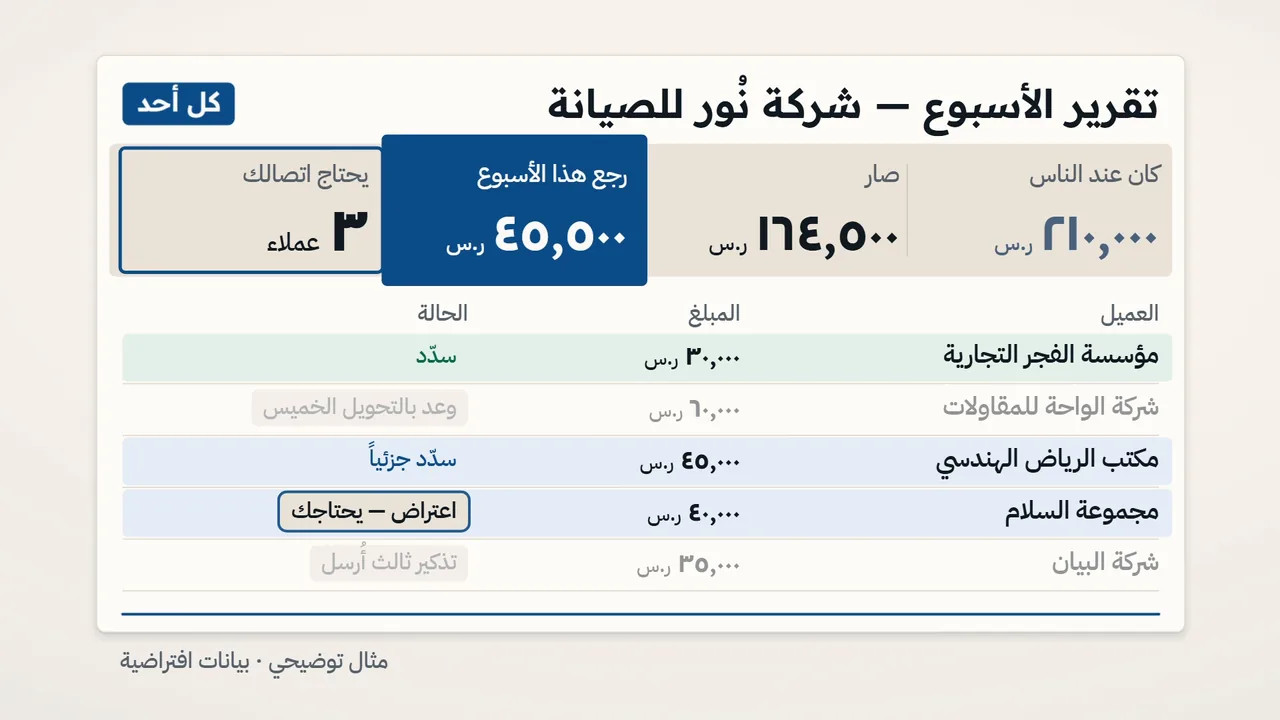
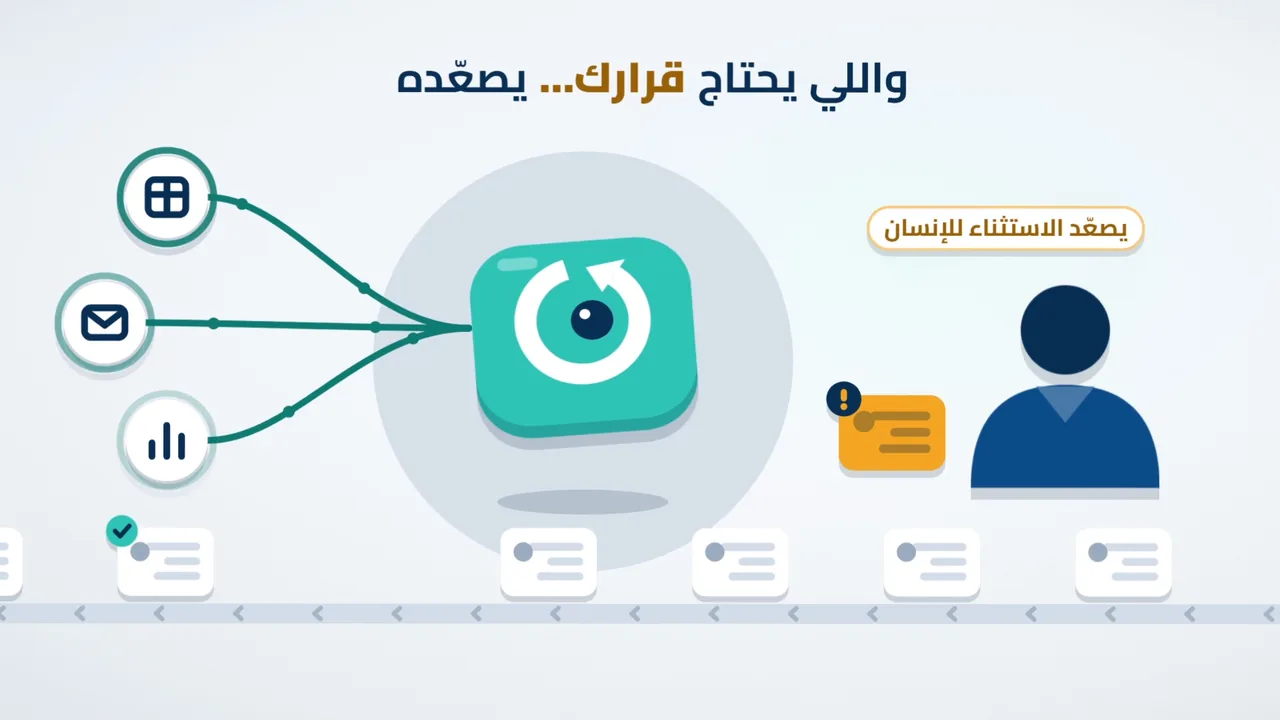

A straight word on the numbers: the reviewer is an independent AI agent that doesn't know who built which film, not a panel of humans. The two films built by fresh agents are two tests in two styles, not every style. In a third test, a fresh agent followed the steps literally (just the file and the prompt) and its film scored 8.43, even though it was built with a temporary voice because ElevenLabs generation was down at the time.
What you get, what you need
The honest checklist before you start
What's in the skill
- A main runbook plus 21 reference files: style, script, voice, mixing, quality gates, and the studio bar written out
- A motion engine in code: kinetic type in Arabic and English, camera moves, transitions, shapes and particles
- Nine experimental structure templates. The agent picks one based on what the video is for
- 40+ tools: environment checks, empty-frame detection, per-word timing from your voiceover, mixing and rendering
- An independent review loop: a second agent that didn't build the film judges it against its style bible and sends back a fix list
What you need
- Claude Code on your machine: the Claude desktop app (Code tab) or the CLI. A film is a long Opus session, so a Max plan is the realistic choice.
- An ElevenLabs account on Starter or above, for voice, music, SFX and a commercial license. About $6 a month when the guide was written.
- A Windows or Mac machine with at least 5 GB free.
- A link to your product page. Every word and screen in the film comes from it.
- No coding, design or editing skills. The agent installs what's missing (Node, Python, ffmpeg) after showing you the commands.
How it works
Three steps. Your agent does the rest
The one rule that changes everything: the agent never grades its own work. Video doesn't get fixed by a better prompt. It gets fixed by the loop: one agent builds, a second agent reviews, and the work goes back until it meets the bar.
- 1
Download the file
Grab remotion-promo-film.zip with the button above and leave it zipped. The agent unpacks and installs it.
- 2
Paste the prompt
Open Claude Code in an empty folder for your film and paste the prompt below with your product name and page link filled in.
- 3
Get your film
The agent writes the style bible and script, generates the voice, builds and renders, then runs 3 to 6 independent review rounds before handing it over. A first film is usually a few hours of agent time.
Install and run
Install it and run your first film
The skill runs in Claude Code only (the Code tab in the Claude desktop app, or the CLI), because it installs tools and renders video on your machine.
Step 1
Download the file
A regular zip archive. Leave it in Downloads or move it into your film folder, and don't unzip it: the agent unpacks and installs it.
remotion-promo-film.zipStep 2
Open Claude Code in an empty folder
Create an empty folder for your film, for example on your desktop, called my-film.
- In the Claude app: open the Code tab and pick that folder.
- On the CLI: cd into the folder and run
claude.
Step 3
Fill in your product, then paste the prompt
Put your product name and page link on the second line. The third line is optional. Paste the rest as is.
Film prompt, paste it into Claude Code
Make me a studio-grade motion graphics video.
Product: [your product or service name], page link: [the link]
[Optional: audience, language and accent, length, a style you like, or "use my cloned ElevenLabs voice, I consent to its use", or "use a stock English voice"]

Setup (one time only):
1. Find remotion-promo-film.zip in this folder or in my Downloads folder, and extract it with python -m zipfile -e into my Claude Code skills folder so the file ends up at ~/.claude/skills/remotion-promo-film/SKILL.md (on Windows: C:\Users\<username>\.claude\skills\remotion-promo-film\SKILL.md). If a folder with the same name already exists, move it to a backup first.
2. Read SKILL.md in full and follow it to the letter from now on. Make this folder the film folder.
3. Check the environment with the skill's doctor tool, and install anything missing after showing me the commands.

Then finish the whole film in this session. Only ask me about what you can't decide on your own, and in a single message: my ElevenLabs login in the built-in browser (or an API key that I put in a .env file myself and never send in the chat), my approval of the voice cost before you generate it, and the final listen on headphones.
At the end, deliver: the final film, an X version, the subtitle file, and the independent reviewer's report.
From there the agent works on its own and you're free. A first film is one continuous agent session that usually runs a few hours, because it goes through 3 to 6 independent review rounds before delivery. Later films are faster since the skill and tools are already installed.
What the agent will ask you
Usually a single message, covering:
- 1.Your ElevenLabs login: It opens the site in the Claude app's built-in browser and you sign in yourself. On the CLI, create an API key in your ElevenLabs settings and put it in a .env file in the film folder yourself.
- 2.Your OK on the cost: It estimates the credits before generating. A film is usually about $1 of your plan.
- 3.Your OK on your voice: Only if you asked for your cloned voice. The skill won't use anyone's voice without consent.
- 4.The final listen: It asks you to play the film once on headphones before calling it done, because your ears catch what the meters miss.
How to tell it's working
- Within the first 25 minutes: the agent has installed the skill, the environment check passed with no errors, and it has written
docs/STYLE.md, your film's visual style bible in numbers. - At delivery: you have
deliver/master_1080p60.mp4, an X version, afilm.srtsubtitle file, and the independent reviewer's report indocs/with the verdict "ship pending listen". Played it on headphones and nothing bugs you? Your film is done.
If something goes sideways
- The agent can't find the file: Move remotion-promo-film.zip into the film folder and tell it: "the file is here".
- It asks for an API key in the chat: Don't send it. Put it in a .env file yourself and say: "it's in .env". The skill itself forbids asking for keys in the chat.
- A message that the commercial license isn't available: The free ElevenLabs plan has no commercial license. Upgrade to Starter and tell the agent: "continue".
- The session stopped at a usage limit: Reopen the same session later and type: "continue from where you stopped". Every decision is saved in docs/, so nothing is lost.
Your next film: one line
Once the agent has installed the skill, you don't need the full prompt. Open Claude Code in a new empty folder and type:
New film request
Make me a motion graphics video for [product name] ([page link]), [audience and language if you want]
Before you download
What people usually ask
Does it work in a claude.ai chat?
No. It's for Claude Code only, because it installs tools, runs scripts and renders video on your machine. Use the Code tab in the Claude desktop app or the CLI.
What does it cost?
The skill is free, with no signup. You need your Claude subscription and ElevenLabs Starter (about $6 a month when the guide was written). One film used roughly 6,000 of the plan's 30,000 monthly credits, so about $1, and the agent estimates the cost and shows you before it generates anything.
Does it work for English films?
Yes. The engine handles English (left-to-right) kinetic type, and the agent writes the script in whatever language you ask for. To be straight with you: the three films above and every blind test so far were Arabic films, so English output hasn't been scored yet.
Can I use my own voice?
Yes. Say in the prompt that you want your cloned ElevenLabs voice and that you consent to its use, or pick a stock voice. The skill won't use anyone's voice without consent.
Why code and not AI-generated video?
Because you control every letter. On-screen text is live text animated in code, so changing a line after delivery is one request to your agent, not a full regeneration.
Will every film hit the same score?
No, and we don't promise that. The bar is written into the skill, and the independent reviewer tells you where your film landed and what's left. The scores above come from two tests in two styles, judged by an agent, not a human panel.
More skills like this are coming
I share every skill I build for real work, with the tests and the scores, on X.
Follow @younesbagh for the next skillsTo be clear: we can't promise every film hits the same score. What we can promise is that the bar is written down, and the agent reviewing your film is not the one that built it.
Haven't grabbed it yet? Download the free skill